

7 Quality Checks Before Uploading Your Dental X-ray
Short answer
Before you upload a dental X-ray, check that it is a real dental radiograph, recent and dated, complete (nothing cropped), sharp, free of glare, the right way round, and that you are comfortable with the personal details visible on it.
The best version is usually the original digital file from your clinic. If you have to photograph a screen or film, do it straight-on, without flash, filling the frame. Never get a new X-ray just to upload one.
On this page
1. Use the original digital file if you can
Most clinics store X-rays digitally and can give you a copy, for example as a JPEG or PNG export. An original file keeps detail that a photo of a screen loses. If you are moving to a new dentist, the ADA's patient guidance notes that they may be able to use your previous images rather than taking new ones — so asking for copies is worthwhile anyway.
Avoid sending the file through messaging apps that compress images; download it, or send it “as a document” where the app allows.
2. Check it is the right image — and how old it is
Make sure the file is a dental X-ray (not a photo of your teeth or a scan of a report) and note what type it is: panoramic, bitewing or periapical. Our guide to the different dental X-ray types can help.
Check the date. Teeth and gums change, and treatment you have had since — a filling, an extraction, a crown — will not appear on an older image. If the X-ray is more than a year or two old, mention that wherever you share it.
3. Make sure nothing is cut off
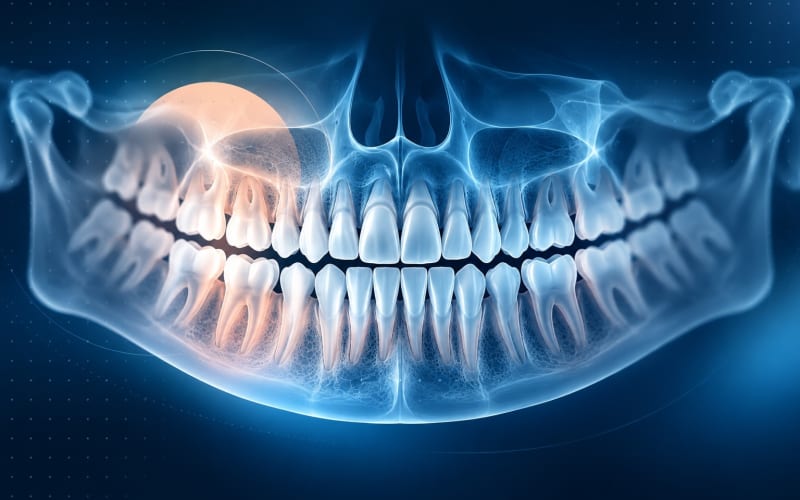
For a panoramic X-ray, both jaws should be visible from the last tooth on the left to the last tooth on the right, including the roots. Screenshots and crops often cut off the edges, which is exactly where wisdom teeth and back teeth sit. Upload the whole image rather than a zoomed-in part.
4. If you must photograph it, do it straight-on
Sometimes the only copy is on a monitor or a printed film. If so:
- Hold the phone parallel to the screen or film, not at an angle, so teeth are not stretched or squashed.
- Turn off the flash and avoid lamps or windows that reflect on the surface.
- For a film, place it against an evenly lit background, such as a bright screen showing a white page.
- Fill the frame with the X-ray, keep the phone steady and tap to focus.
5. Zoom in: is it sharp and evenly lit?
Before uploading, zoom in on a few teeth. Edges of fillings and roots should look crisp, not smeared. Very dark or washed-out areas hide detail. If the original X-ray itself looks blurred — for example because of movement during the scan — say so; a review of panoramic positioning errors shows how movement and head position can blur parts of the image or create shadows that look like problems. Our guide to what a panoramic X-ray can and can’t show describes these artefacts.
6. No flipping, filters or “enhancement”
Upload the image as you received it. Mirroring or rotating it can swap left and right, which changes tooth numbers. Filters, contrast boosts and “AI enhance” features can invent or erase detail. If the image is sideways, that is fine — a dentist or the software can deal with it, but not with an image that has been altered.
7. Check what personal data you are sharing
Dental X-rays often carry your name, date of birth, the clinic's name or a patient number printed on the image. Health information is a special category of personal data under laws such as the EU GDPR and Türkiye's Personal Data Protection Law (KVKK), with stricter rules for how it can be processed.
- Read the privacy notice of the service and check who your images will be shared with.
- Decide whether you are comfortable with the visible details; if a service asks you not to include them, cover them without hiding any teeth.
- Only upload your own images, or those of someone you are legally allowed to act for.
What this means for you
- Original file from the clinic, or a straight-on photo without glare.
- Dated, recent and the type you expected.
- Whole image visible, nothing cropped.
- Sharp when you zoom in.
- Not flipped, filtered or edited.
- You know what personal details are on it and who will see it.
- No new X-ray taken just for the upload.
If you have severe pain, swelling or a dental injury, contact a dentist or emergency services instead of waiting for an online result.
Frequently Asked Questions
Can I upload a screenshot of my X-ray?
You can, but screenshots are often cropped and compressed. If you can, use the original exported file, or at least make sure the whole X-ray is in the screenshot at full size.
My X-ray is printed on film. What should I do?
Ask the clinic whether they have a digital copy. If not, photograph the film straight-on against an evenly lit background, without flash, so the light shines through it evenly.
How old can the X-ray be?
There is no fixed rule, but the older it is, the less it reflects your mouth today. Mention the date and any treatment you have had since.
Should I get a new X-ray so the analysis is up to date?
No. Dentists take X-rays only when they expect them to provide necessary diagnostic information. Use what you have, and let a dentist decide whether a new image is justified.
Can I upload a CBCT scan?
Many patient tools, including LUMBEN's upload, are built for 2D dental X-rays in common image formats. CBCT scans are large 3D datasets that dentists review with specialised software.
Sources and further reading
- Common positioning errors in panoramic radiography: A review (opens in a new tab)
- X-rays (opens in a new tab)
- X-Rays/Radiographs (Oral Health Topics) (opens in a new tab)
- Personal Data Protection Law No. 6698 (opens in a new tab)
- Regulation (EU) 2016/679 — General Data Protection Regulation (opens in a new tab)
Reviewed on